

Download iPIG Secure Access VPN Server – Free, Secure, Reliable Windows VPN Software
Protect your network and personal data with iPIG Secure Access VPN Server, a trusted, free VPN solution designed for Windows users. This lightweight security tool offers encrypted connections to safeguard your Wi-Fi and wired networks from hackers, surveillance, and data breaches. Ideal for individuals and small businesses seeking a reliable, no-cost way to enhance online privacy, iPIG Secure Access provides a simple yet powerful way to control network access and ensure secure remote connections. With over 45,000 downloads since 2005 and continued popularity in regions like Saudi Arabia, India, Singapore, the U.S., and the U.K., this software has stood the test of time. Available exclusively for Windows 2000 and earlier systems, iPIG Secure Access VPN Server is a legacy but dependable tool for users who value privacy and security without the need for complex configurations.
Why iPIG Secure Access VPN Server Stands Out in Network Security
When it comes to securing your digital footprint, especially on public Wi-Fi or shared networks, having a dependable virtual private network (VPN) is essential. iPIG Secure Access VPN Server delivers a straightforward, no-frills approach to network protection. Unlike modern, subscription-based VPNs that often come with data caps and intrusive ads, this software remains completely free—no hidden fees, no tracking, and no need to sign up with personal information. It's a rare gem in today’s crowded cybersecurity market, particularly for users still running older Windows systems like Windows 2000, XP, or even earlier versions.
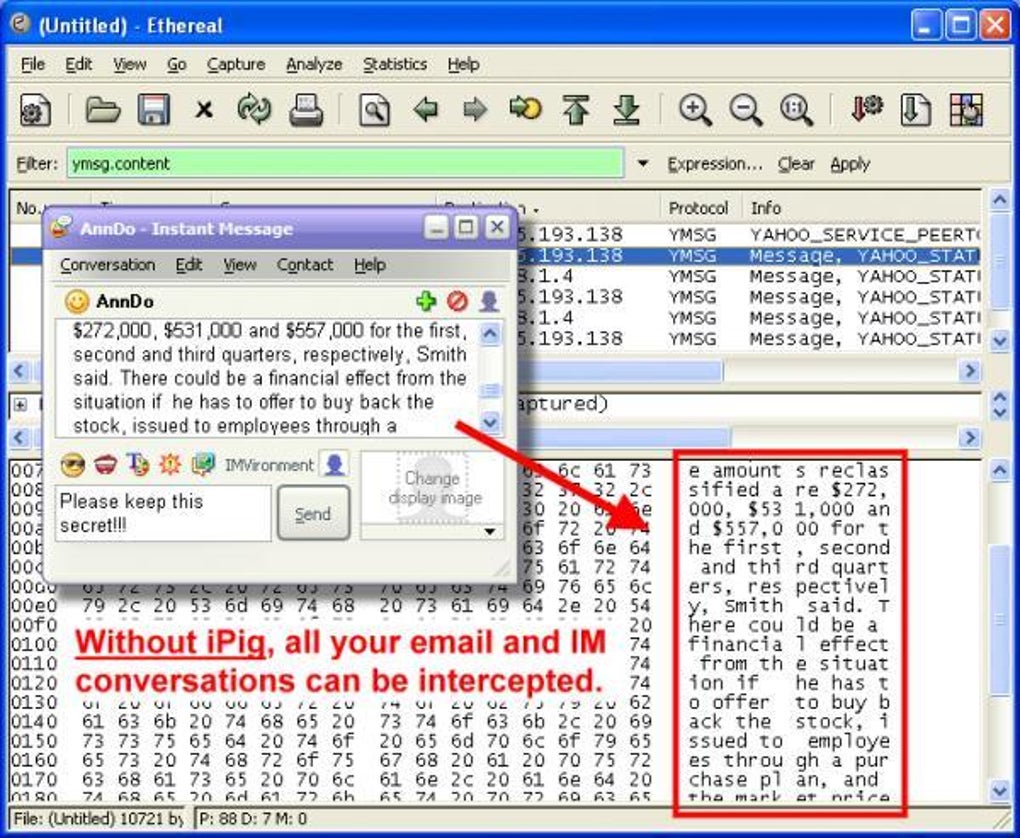
What makes iPIG unique is its focus on access control and visibility. Rather than just masking your IP address, it functions as a secure gateway that allows authorized users to connect to your network through encrypted tunnels. This is especially useful for small offices or home networks where you want to grant remote access to employees or family members while blocking unauthorized users. The encryption protocols used are robust enough to prevent eavesdropping and man-in-the-middle attacks, ensuring that sensitive data—like login credentials, financial details, or private messages—remain confidential.
Despite being updated in 2005, iPIG Secure Access continues to be used in high-demand regions such as India, Singapore, and Saudi Arabia, where digital privacy concerns are growing. Its lightweight footprint means it runs smoothly even on older hardware, consuming minimal system resources. This makes it an excellent choice for users who prioritize security without compromising performance. While newer alternatives may offer more features, iPIG’s simplicity, reliability, and zero cost make it a compelling option for those seeking a no-nonsense, secure connection solution.
Key Features and How to Use iPIG Secure Access VPN Server
Understanding the features of iPIG Secure Access VPN Server helps clarify why it remains a favorite among privacy-conscious users. The software is built around core security principles, offering a stable and encrypted connection environment. Below are the standout features that define its functionality:
- Secure Encrypted Tunnels – All data transmitted between the client and server is encrypted using strong protocols, protecting against network sniffing and unauthorized access.
- Access Control & Authentication – Administrators can define user permissions, ensuring only authorized individuals can connect to the network via the VPN.
- Lightweight & Low Resource Usage – Designed for older systems, it operates efficiently without slowing down your machine.
- Free to Download and Use – No subscriptions, no ads, no data collection—just pure, secure access.
- Compatibility with Legacy Windows Systems – Works seamlessly on Windows 2000 and earlier versions, making it ideal for outdated but still functional setups.
- Simple Setup and Configuration – Even users with limited technical knowledge can install and configure the server with minimal effort.
Installation is straightforward: download the installer from the official source, run it, and follow the on-screen prompts. Once installed, launch the application and configure your network settings, including the IP range for connected clients and user credentials. You can then distribute the connection details to trusted users. The client-side setup is equally simple—just install the corresponding client software (if available) or use built-in Windows VPN clients to connect using the provided configuration.
For maximum security, always use strong passwords, disable unnecessary services, and ensure your firewall is active. Regularly monitor connected users and update your configuration if needed. While the software hasn’t seen an update in nearly two decades, its stable codebase and proven track record make it a trustworthy choice for legacy environments.
Compatibility, Installation, and System Requirements
One of the most distinctive aspects of iPIG Secure Access VPN Server is its compatibility with older Windows operating systems. It supports Windows 2000 and earlier versions, including Windows 98, ME, and NT. This makes it a rare but valuable tool for users still relying on legacy hardware or software environments where upgrading is not feasible. If you’re running a modern system like Windows 10 or 11, you may face compatibility issues, so it’s best to use it on a virtual machine or older physical device.
System requirements are minimal. The software requires only a few megabytes of disk space and a basic processor—no high-end specs needed. This low resource demand ensures that even machines with limited RAM or older CPUs can run the server smoothly without performance degradation. The installation process is quick and doesn’t require administrative privileges in most cases, making it accessible to a wide range of users.
To install, visit the official download page, download the .exe file, and run it. The setup wizard will guide you through the process. After installation, you’ll need to configure the server settings via the control panel, including setting the server IP address, defining user accounts, and selecting encryption methods. Once configured, the server will start automatically and begin listening for incoming connections.
For users seeking a secure connection on the go, you can set up a client using Windows’ built-in VPN client by entering the server IP, username, and password. This allows remote access from any device with a compatible OS, as long as it supports standard PPTP or L2TP protocols. While modern alternatives may offer better encryption or mobile support, iPIG’s compatibility with older systems remains its biggest strength.
Pros and Cons: Is iPIG Secure Access Right for You?
Before deciding to download and use iPIG Secure Access VPN Server, it’s important to weigh its advantages and limitations. Here’s a balanced look at what users can expect:
Pros:
- Completely Free – No cost, no subscriptions, no hidden fees.
- Lightweight & Efficient – Minimal system impact, ideal for older hardware.
- Strong Encryption – Protects data in transit with robust protocols.
- Access Control Features – Manage user permissions and secure remote access.
- Proven Longevity – Trusted by thousands since 2005, especially in high-demand regions.
Cons:
- Outdated Software – Last updated in 2005; no modern security patches or features.
- Limited OS Support – Only works on Windows 2000 and earlier; not compatible with modern Windows versions.
- No Mobile Support – No apps for Android or iOS; only desktop clients.
- Minimal Customer Support – No official support team or documentation updates.
- Security Risks on Modern Networks – May not meet current standards for enterprise-grade security.
Ultimately, iPIG is best suited for niche use cases—such as securing legacy systems, small private networks, or educational environments where cost and simplicity are priorities. It’s not recommended for users on modern systems or those needing advanced features like multi-factor authentication or split tunneling.
Frequently Asked Questions (FAQ)
Is iPIG Secure Access VPN Server safe to use?
Yes, iPIG Secure Access provides encrypted connections using proven protocols, making it safe for private network access. However, due to its age, it lacks modern security updates. Use it only on trusted, isolated networks and avoid exposing it to the public internet.
Can I use iPIG on Windows 10 or 11?
No, iPIG Secure Access VPN Server is only compatible with Windows 2000 and earlier versions. It will not install or run on Windows 10, 11, or later systems. Consider using a virtual machine with an older OS to run it securely.
Does iPIG offer mobile apps for Android or iOS?
No, iPIG does not have official mobile apps. The software is desktop-only and supports only Windows-based clients. For mobile access, you’d need to use a compatible third-party VPN client that supports PPTP or L2TP.
Is iPIG Secure Access really free?
Yes, iPIG Secure Access VPN Server is completely free to download and use. There are no hidden costs, subscriptions, or ads. It’s one of the few truly free, no-strings-attached VPN tools available.
How do I set up a client connection?
On a Windows client, go to Settings > Network & Internet > VPN > Add a VPN connection. Choose “Windows (built-in)” as the provider, enter the server IP, your username, and password. Save the connection and connect when needed.
Final Verdict: A Legacy Tool with Lasting Value
iPIG Secure Access VPN Server may be a relic in today’s fast-evolving tech landscape, but it still holds value for specific use cases. Its free nature, lightweight design, and strong encryption make it a solid choice for securing older Windows systems and private networks. While it lacks modern features and support for current operating systems, its simplicity and reliability continue to attract users in regions like India, Saudi Arabia, and Singapore.
If you’re running a legacy environment or need a no-cost solution for internal network access, iPIG is worth considering. Just be aware of its limitations and use it responsibly. For modern users, it’s best to explore updated alternatives. But for those who value privacy, security, and affordability without complexity—iPIG remains a dependable option.
Download iPIG Secure Access VPN Server today and take control of your network security—free, secure, and simple.
Pros: Free, lightweight, strong encryption, access control, proven track record.
Cons: Outdated, no modern OS support, no mobile apps, no official support.







